Budgeting App Without Bank Connection: Why Vaulra Uses Manual Import
May 5, 2026
When we started building Vaulra, one of the first decisions we had to make was how transactions would get into the system. The obvious answer was live bank connections. Every budgeting app does it. You link your bank, transactions flow in automatically, and you never think about it again.
We chose not to do that. Here is why.
The problem with live bank connections
Live bank connections work through third-party aggregators. Your budgeting app sends your credentials (or an OAuth token) to a service that maintains a persistent connection to your bank. That service pulls your transactions on a schedule and feeds them into the app.
When it works, it is convenient. When it breaks, the consequences are worse than inconvenience.
Connections break. Data disappears.
Bank connections are fragile. Banks change their APIs. Security updates invalidate tokens. Multi-factor authentication prompts interrupt the sync. When a connection breaks, some apps handle it gracefully. Others have been reported to remove transactions that came through that connection, with no warning and no recovery option.
This is not a hypothetical. People in personal finance communities describe logging in to find weeks of transactions gone. No warning. No recovery option. The app removed data it could no longer verify through the live connection.
That failure mode is structural. Any app that auto-imports transactions through a live connection can lose data when that connection fails. The convenience of automatic sync comes with a dependency on a third party staying connected to your bank, indefinitely, without interruption.
You share credentials with a third party
To maintain a live bank connection, a third-party aggregator needs some form of access to your account. Even with OAuth, you are granting read access to your transaction history to a service you did not choose and may not have evaluated.
For some people, that tradeoff is fine. For others, especially those managing household finances across multiple accounts, it is not a tradeoff they want to make.
You lose control of what enters your budget
With auto-import, every transaction flows into your budget automatically. Pending charges, duplicate authorizations, refunds that have not settled. The app decides what counts. You clean up after it.
That is backwards. Your budget should contain the transactions you have reviewed and confirmed, not everything your bank's API returns.
How Vaulra handles transaction import
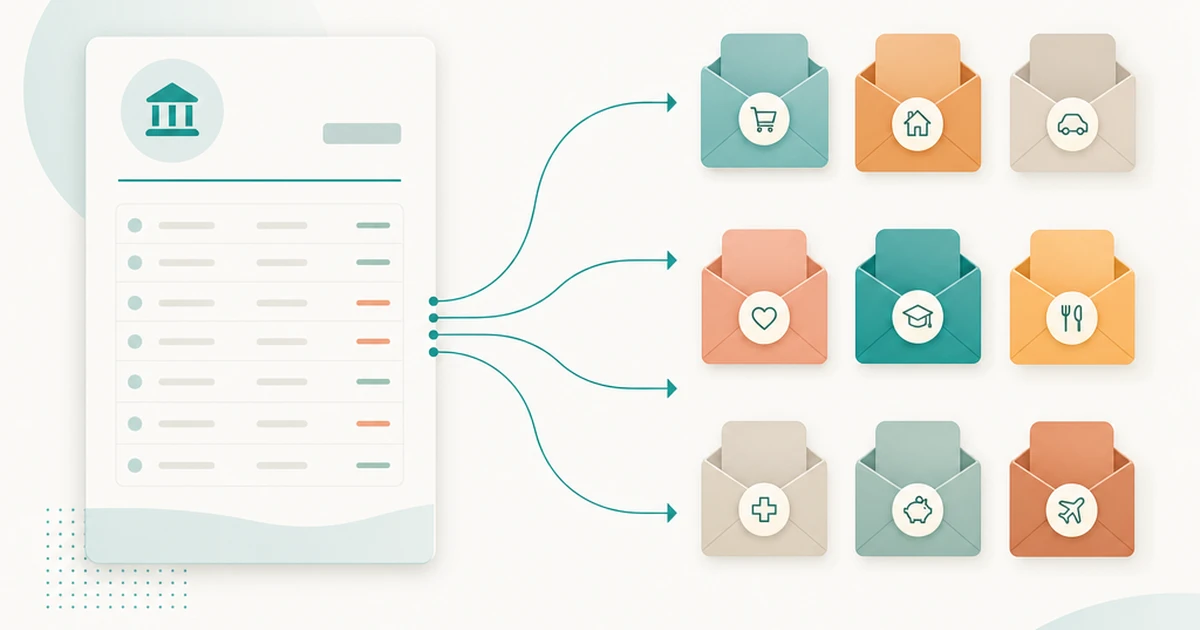
Vaulra accepts bank statements in CSV, Excel, and PDF formats. You download your statement from your bank (something you can do without granting any third-party access), and you import it into Vaulra.
CSV, Excel, and PDF import
The system detects column mappings automatically. It classifies each transaction as income or expense and maps it to the appropriate budget envelope based on description matching and patterns it has learned from your previous corrections.
You review the classifications before committing. Nothing enters your budget until you confirm it.
Client-side processing
This is the part most people miss when comparing manual-import apps. When you import a file into Vaulra, that file never leaves your browser. All parsing, classification, and mapping happens on your device. No file data is uploaded to any server.
When you import a file into Vaulra, all parsing and classification happens on your device. The file never leaves your browser, and only the transaction records you approve are saved to your account.
AI-powered categorization that learns
The first import takes the most effort. You will correct some classifications. By the third or fourth import, the system has learned your patterns. The same merchant that was miscategorized the first time gets mapped correctly from then on.
The AI layer is practical, not magical. It reduces manual effort over time without taking control away from you.
Manual import takes more effort. That is the point.
We will be direct about the tradeoff. Manual import is slower than auto-sync. You have to download a statement, import it, and review the results. That takes a few minutes each time.
Here is what you get in return.
You review every transaction before it enters your budget
Nothing gets into your budget that you have not seen and confirmed. No phantom charges. No duplicates from pending transactions. No miscategorized auto-imports that quietly throw off your envelope balances.
This is a feature, not a limitation. Your budget reflects reality because you verified it.
Your data never depends on a connection staying alive
There is no background sync that can fail. No token that can expire. No aggregator that can go down. Your transaction history in Vaulra is yours. It does not depend on a third party maintaining access to your bank.
If your bank changes its API tomorrow, your Vaulra data is unaffected. You still have every transaction you imported.
No silent deletions. No sync errors.
Vaulra cannot delete transactions it never auto-imported. That failure mode does not exist in this architecture. Once a transaction is in your budget, it stays there until you remove it.
What you give up (and what you gain)
The tradeoff: convenience vs. reliability
Auto-sync is more convenient. You link once and forget about it. Manual import requires periodic action. For most people, that means importing once or twice a month when their statement is ready.
If you value set-it-and-forget-it above everything else, a bank-linked app may be the right choice for you. We are not going to pretend otherwise.
The gain: data accuracy, privacy, and control
If you value knowing exactly what is in your budget, if you care about not sharing bank credentials with third parties, if you have ever lost data to a broken connection, manual import gives you something auto-sync cannot: certainty.
Your data is accurate because you reviewed it. Your data is private because no file ever left your device. Your data is durable because it does not depend on an external connection.
Who this approach is designed for
People who have had bank connections break
If you have experienced the frustration of re-authenticating every week, or worse, discovering that transactions disappeared when a connection dropped, Vaulra's model eliminates that entire category of problems.
People who care about financial data privacy
Vaulra never has read access to your bank account. No credentials are shared. No aggregator sits between you and your bank. The only data Vaulra stores is what you explicitly import and confirm.
Couples who want to share a budget without sharing bank access
This is where Vaulra's manual import model intersects with its Shared Budgets feature. Each partner imports their own transactions from their own accounts. The shared budget has Visibility profiles that control exactly what each person can see.
No one needs to grant their partner access to their bank. No one needs to link a joint account to a third-party service. Each person controls what enters the shared budget from their side.
Most budgeting apps that offer bank linking require both partners to connect their accounts to the same service. That means both people share credentials with a third party, and often with each other. Vaulra's approach keeps each person's banking relationship entirely separate. You share budget data, not bank access.
How to get started with Vaulra
Vaulra is in beta. You can join the beta, set up your budget envelopes, and start importing transactions today. The system works with statements from any bank that exports CSV, Excel, or PDF.
Define your envelope structure once. Import your first statement. Review and confirm. That is the whole process.