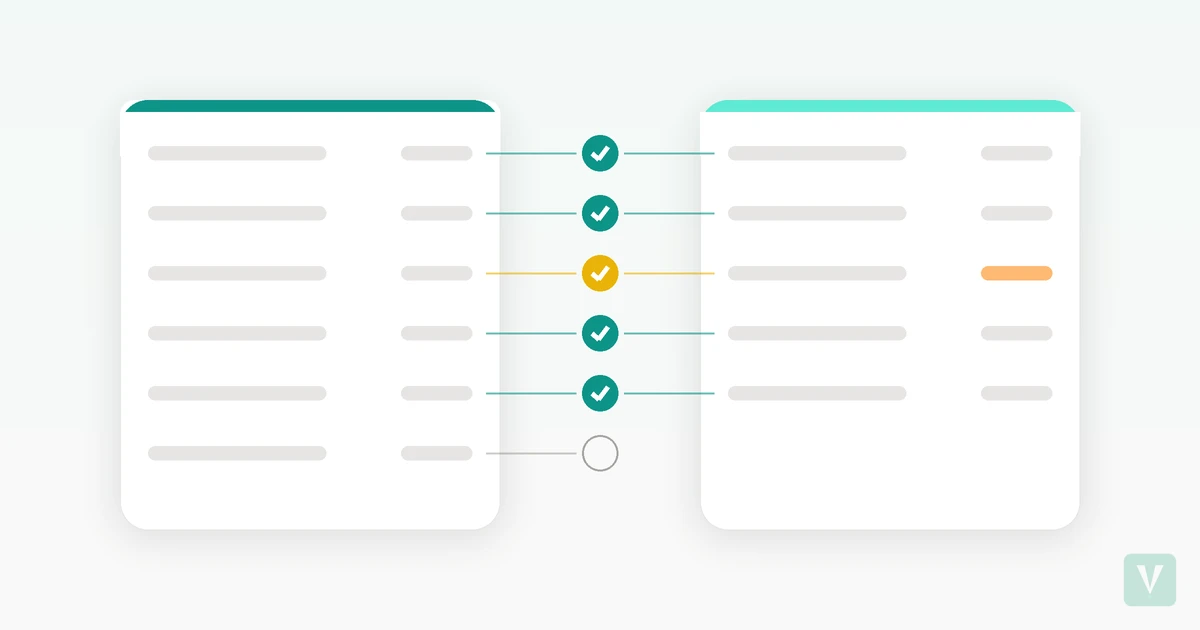
Coming Soon: Reconcile Bank Statements With Your Budget Without Giving Your Bank Login
Sep 9, 2026
If you track your budget by hand, you already know the quiet problem with it. You enter what you spend, you keep your envelopes in order, and then a few weeks pass and you are no longer sure your budget matches what actually left your account.
Most advice at this point tells you to connect your bank so everything syncs automatically. That works, but it asks you to hand over your bank login and let a third party pull every transaction, forever. If you chose manual tracking on purpose, that trade is exactly what you were trying to avoid.
There is a middle path coming to Vaulra: reconciling your budget against your real statement without giving anyone your bank login. This post explains what that means, how the flow will work once it ships, and why it fits a manual-first, privacy-first way of budgeting rather than replacing it.
Why manual budgets drift from what actually happened
A manual budget drifts for two ordinary reasons, and neither one means you are doing it wrong.
The first is the entry you forgot to log. A card tap on the way out the door, a subscription that renewed quietly, a purchase you meant to add later and never did. It happened, it left your account, but it never made it into your budget.
The second is the entry you logged twice. You added a purchase by hand, then later imported a statement that included the same purchase, and now it is counted once too often. Your budget looks like you spent more than you did.
Over a few weeks, small gaps like these add up. The budget on your screen slowly stops matching the money in your account. This is a normal side effect of tracking things yourself. It is not a sign of carelessness, and it does not mean you need to switch to full automation to fix it.
What reconciling actually means for a personal budget
If you search the word "reconcile," most of what you find is written for bookkeepers closing the month for a business. That is not this.
Reconciling a personal budget is much smaller. It is a short check where you line up what you tracked against what your statement shows, spot the differences, and decide what to do about each one. Think of it as a five minute review, not an audit.
The goal is simple. Close the gap between what you recorded and what actually happened, without giving up the manual control that made you choose this approach in the first place.
The difference between importing and reconciling
These two steps are easy to blur together, so it helps to separate them.
Importing brings statement lines into view. It is how the transactions from your statement get in front of you.
Reconciling is the step after that. It is the act of matching those imported lines against what is already in your budget, then sorting out what matches, what differs, and what is missing on one side or the other.
If you have only ever imported transactions, reconciling is the piece you have been doing in your head. Vaulra will do that matching for you once reconciliation ships.
How to reconcile a statement against your budget, step by step (coming soon)
Reconciliation is not live yet. The walkthrough below describes how the flow will work once it ships. In the meantime, you can already import statement files and review transactions with Vaulra's standard import flow. Reconciliation builds directly on top of that.
Before you start, one thing to know: reconciliation in Vaulra will work with a credit card account you have added inside the app. You will not be connecting your bank and you will not be handing over a login. You will be working from a statement file you already have.
Here is how the flow will work from your side.
Import the statement. You will bring in the statement file for the account you want to check. The file will be parsed on your own device, and no bank login or live connection will be involved. The raw file itself is never uploaded. Only the individual transactions you review and confirm, including any matched transaction data, will be saved to your account.
Review what already matches. Vaulra will check your statement against what you have tracked a few different ways, so you will not be stuck comparing every line by eye. It will group the clear matches for you under Already Tracked. These will be the entries where your budget and your statement already agree. Usually you will be able to skim these and move on.
Look at anything where the amount differs. Some entries will match a purchase you logged, but the amount will be slightly off. A tip added later, a price that changed at checkout, a rounding difference. These will show up under Amount Differs so you can confirm the real figure.
Check what is missing on one side. Entries you tracked that are not on the statement will appear under In Vaulra Not On Statement. Entries on the statement that never made it into your budget will appear as New Transactions. This is where forgotten entries and duplicates will surface.
Confirm, then commit. Nothing will change your budget until you say so. You will review each section, decide what to keep, and commit the result in one step. Vaulra will also remember how you matched a given merchant, so the next import will have more of the work already done.
The important part is that you will stay in the loop the whole time. Vaulra will surface the matches and the differences. You will make the calls.
What this will catch that manual tracking alone misses
Reconciling will turn the two drift problems from earlier into things you can actually see and fix.
The entry you forgot to log will stop being invisible. It will show up plainly as something on your statement that is not yet in your budget, ready for you to add.
The entry you logged twice will stop hiding in your totals. When a manual entry and an imported line look like the same purchase, Vaulra will surface it so you can resolve the duplicate instead of quietly overcounting.
That will be the whole value. Reconciliation will be a safety net under manual tracking, not a reason to stop tracking by hand.
Reconciling without giving up control
This is where a reconciled budget usually costs you something, and where Vaulra will be built to not.
Connecting your bank gives you an always-current picture, but the price is a standing connection to your account and a login in someone else's hands. Reconciling from a statement file will get you the catch-up power of that current picture without the standing connection.
To be precise about what that will mean, since privacy claims should be exact:
- You will add a credit card account inside Vaulra. That setup will be a prerequisite for reconciliation.
- What you will not do is give Vaulra your bank login or turn on live transaction sync.
- The statement file you import will be parsed on your device. The raw file itself is never uploaded. Only the transactions you review and confirm, including any matched transaction data, will be saved to your account.
- Nothing will be committed to your budget automatically. You will review every section and confirm before anything is saved to your account.
So the manual-first choice will stay intact. You will keep control of what goes into your budget, you will keep your bank credentials to yourself, and you will still get to catch the entries that manual tracking alone would have missed.
If you have been tracking without connecting your bank and want to keep it that way, reconciliation will be the natural next step after import, not a replacement for the way you already work.
Take a look inside: statement import is available now, and reconciliation lands on top of it soon.